Wall mounting a security camera: arms and brackets
The most common install and the one with the most bracket choices. How wall mounts work for Hikvision, Dahua and Uniview cameras, and how to pick the right arm.
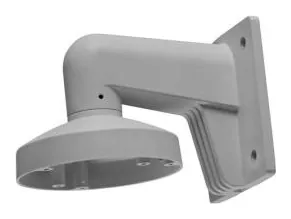
Wall mounting is the bread-and-butter install, which is exactly why it has the most options and the most ways to end up with the wrong part. The choice comes down to whether the camera needs a simple base or an arm that holds it out from the wall, and whether the cable goes through the wall or across it.
Base plate or arm?
Two broad shapes cover most wall installs:
- A wall base or short mount sits the camera close to the surface. Common for turrets and domes where you just need a solid fixing and a cable path.
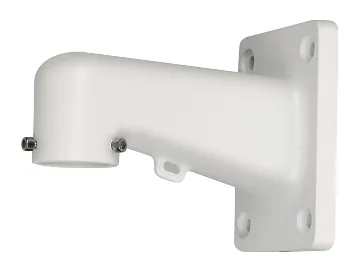
- A wall arm holds the camera out from the wall, angling the field of view down and away. This is what you want for bullets over a door, or any camera that needs to look along the wall rather than straight out.
Either way, the arm or base is usually paired with a junction box so the cable and connector are protected where they enter.
The parts to reach for
- Hikvision: the DS-1273ZJ-140 (a 4.5 kg aluminium arm) and the DS-1272ZJ-120 are the common wall arms; the trailing number tracks the base diameter. Wall mounts hub.
- Dahua: the PFB203W is the everyday bullet/dome wall arm, with the heavier PFB305W (rated to 5 kg) for larger loads. Wall mounts hub.
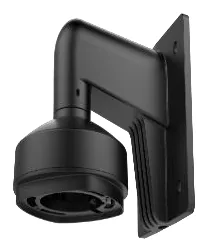
- Uniview: the TR-WM03-D-IN (WM for wall mount) is the common dome wall mount. Wall mounts hub.
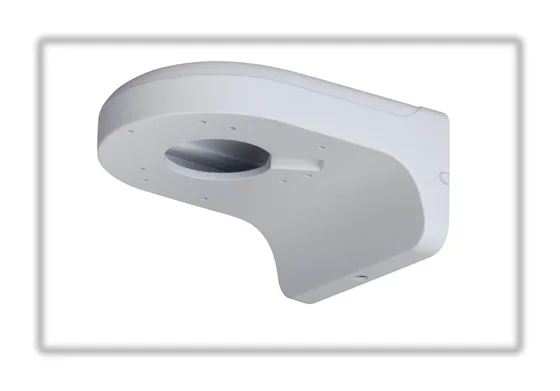
Getting it right
- Match the arm to the camera first. A wall arm is family-specific at the camera end. Confirm the exact part against the camera’s datasheet, not just “a 140 wall mount”.
- Longer arm, more load. An arm multiplies the camera’s weight as a bending moment at the fixing, so on a long arm or a heavy camera step up to the higher-rated part. The 3x load guide explains why.
- Plan the cable before you drill. Back entry through the wall is cleanest; side entry into conduit is the fallback. See how to hide the wiring.
- Fixings for the surface. Drywall needs cavity anchors or a hit on a stud; masonry needs proper plugs. The bracket is only as good as what it is screwed into.
Open your brand’s wall hub above and every arm lists the cameras it is rated for, with the datasheet source. Deciding between a wall mount and something else? The form-factor guide and junction box guide cover the rest.
Parts featured in this guide
Explore the datasheet-verified data
Everything in this guide is backed by the parts we index. Jump straight in: