Will your mount hold the camera? Load ratings and the 3x rule
How to read a mount's rated load against your camera's weight, why we apply a 3x safety factor, and when a 'breach' is a real problem versus a conservative note.
Most compatibility questions are binary: the manufacturer either lists the mount for your camera or it does not. Load is the one dimension that is a spectrum, and it is worth understanding, because “listed as compatible” and “comfortable for years on an exterior wall” are not always the same thing.
Two numbers, one comparison
Every load decision comes down to two figures:
- The camera’s weight, from its datasheet. A compact turret might be 350 g; a big varifocal bullet with an IR housing can be 1 kg or more.
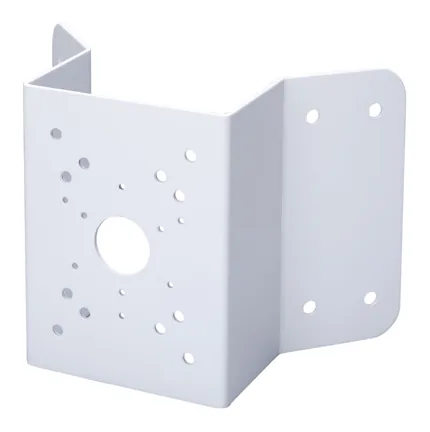
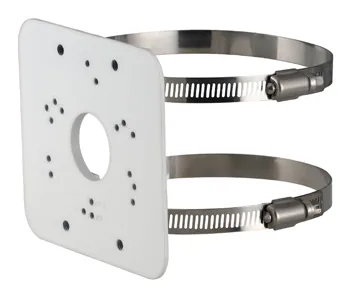
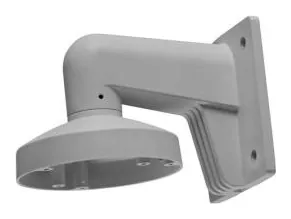
- The mount’s rated load, when the accessory datasheet publishes one. For example the Dahua PFA152-E pole mount is rated to 3 kg, the Hikvision DS-1273ZJ-140 wall arm to about 4.5 kg, and the heavy-duty Dahua PFA151 corner mount all the way to 10 kg.
Compare the two and you have your answer. The complication is how much headroom to insist on.
Why we multiply by three
On paper a 3 kg mount holds a 1 kg camera with room to spare. In the field, the static weight is only part of the story:
- Wind load. An exterior camera on a pole is a sail. Gusts add force the datasheet weight never accounts for.
- Lever arm. A wall or pole arm holds the camera out from the surface. The further out, the more the weight is multiplied as a bending moment at the fixing. A rated “load” is not the same as a rated moment.
- Knocks and vibration. Ladders, cleaning poles, slammed doors on an indoor mount, traffic vibration on a roadside pole. All of it is dynamic.
- Age. Gaskets harden, fixings loosen, aluminium fatigues.
Rigging and structural work routinely design to a safety factor of several times the static load for exactly these reasons. We apply a conservative 3x factor: we take the camera’s weight, multiply by three, and check that against the mount’s rating.
| Camera weight | Needed at 3x | PFA152-E (3 kg) | PFA151 (10 kg) |
|---|---|---|---|
| 350 g | 1.05 kg | comfortable | comfortable |
| 700 g | 2.1 kg | okay | comfortable |
| 1000 g | 3.0 kg | at the limit | comfortable |
You can see why the PFA151 exists: once a camera gets heavy, or the arm gets long, you want the 10 kg part, not the 3 kg one.
When a “breach” is not a failure
Here is the honest part, and it is important. Every camera we show on a mount’s page is there because the manufacturer lists it as compatible. So when our 3x math says a camera exceeds the rating, that is our conservative note, not a contradiction of the manufacturer. It usually means one of:
- The manufacturer’s own testing uses a smaller margin than our 3x.
- The rating is a straight vertical pull and your install is gentler than the worst case.
- You should simply pick the heavier-duty mount in the same family for peace of mind.
The only time we flag load as a hard problem is when a camera outweighs the rating outright, before any safety factor. That is rare and always worth a second look.
Where a mount’s datasheet gives no load figure at all, which is common for junction boxes and pendant caps, we do not invent one. We fall back on the manufacturer’s compatibility listing and say so.
How to use this on the site
Every accessory page here runs this check for you: it lists each compatible camera, its weight, and its share of the mount’s rating, so you can spot the tight ones at a glance. Pick the mount type you need from a hub like Dahua wall mounts or Hikvision wall mounts, open the part, and read the weight-check table. And if you are still choosing the part itself, start with how to choose a junction box or the Hikvision part-number guide.
Parts featured in this guide
Explore the datasheet-verified data
Everything in this guide is backed by the parts we index. Jump straight in: