Hikvision mount part numbers explained: the DS-1xxxZJ code
DS-1260ZJ, DS-1273ZJ-140, DS-1275ZJ-SUS: the pattern behind Hikvision's mounting bracket part numbers, what the suffixes mean, and why the number alone never guarantees a fit.
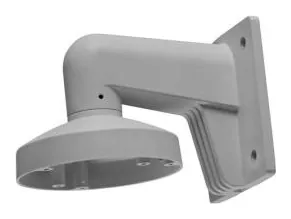
Hikvision’s mounting accessories all share a family code that looks like alphabet soup the first time you meet it: DS-1260ZJ, DS-1273ZJ-140, DS-1275ZJ-SUS. Once you see the pattern it gets a lot friendlier, and it will help you narrow a search in seconds. It will not, however, tell you for certain that a given bracket fits your camera, and that gap is where most ordering mistakes happen. Here is how to read the code and where its limits are.
The anatomy of the number
Break DS-1273ZJ-140 into pieces:
- DS- is just Hikvision’s product prefix. It is on almost everything, so it tells you nothing useful about the accessory.
- 12xx is the mounting-accessory series. The third and fourth digits are the ones that actually distinguish families. In practice you will see a handful of recurring roots, each tied to a mount type (more on that below).
- ZJ marks it as a bracket or mount rather than a camera. When you see ZJ, you are looking at hardware, not optics.
- The trailing number (
-120,-140) usually tracks the mount’s base diameter in millimetres. A-140is the wider-collared version of a-120, built for a larger camera body.
Then there are suffixes:
- -SUS denotes a stainless-steel variant, built for corrosive or coastal environments. The stainless parts tend to be the “universal” workhorses.
- A trailing B, as in
DS-1273ZJ-140B, is a distinct build, not a cosmetic tweak. The plain DS-1273ZJ-140 is a roughly 700 g aluminium mount, while the DS-1273ZJ-140B is a heavier metal one over 1.4 kg. Same footprint, different part, so order the one the datasheet names.
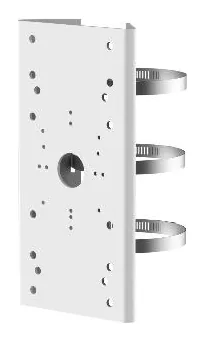
The roots worth memorising
These are the series you will run into most, with the part that fits the widest range of cameras in each:
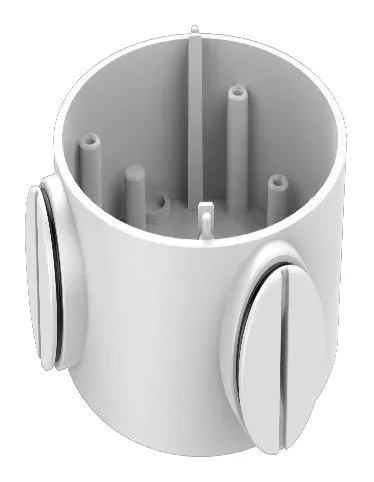
- 1258 / 1260 (junction boxes). The DS-1260ZJ is the current go-to J-box. See the junction boxes hub.
- 1271 (pendant mounts). DS-1271ZJ-140 for larger bodies, DS-1271ZJ-120 for smaller. Pendant mounts hub.
- 1272 / 1273 (wall mounts). DS-1273ZJ-140 and DS-1272ZJ-120 are the common arms. Wall mounts hub.
- 1275 (vertical pole mounts). The DS-1275ZJ-SUS is the single most widely compatible pole adapter in the whole Hikvision range. Pole mounts hub.
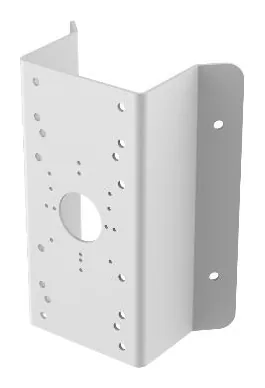
- 1276 (corner mounts). The stainless DS-1276ZJ-SUS is the corner equivalent, and it fits an enormous slice of the range too. Corner mounts hub.
- 1280 (adapters and specialty boxes). A grab-bag: the DS-1280ZJ-S, DS-1280ZJ-PT6 and others.
If you spot 1275 or 1276 with an -SUS suffix in a spec sheet, there is a good chance it is the pole or corner adapter that fits your camera, because those two parts are close to universal within Hikvision.
Why the number is a hint, not a guarantee
Here is the trap. Two brackets in the same series, one digit apart, can be built for completely different camera bodies. The base diameter, the screw pattern and the gasket all change between families, and Hikvision does not publish a master decoder that maps every camera to every bracket. So the honest workflow is:
- Use the part number to get in the right neighbourhood (a
1273is a wall mount, so if you need a wall mount you are close). - Then open your camera’s own datasheet and read the accessory line. That line is the only authoritative statement that a specific bracket fits.
That is exactly what every camera page on this site gives you: the mounts the manufacturer lists, each with the verbatim quote from the datasheet and a link to the source. Decode the number to save time, then confirm the fit against the receipt. For the load side of the decision, see our guide to mount load ratings.
Parts featured in this guide
Explore the datasheet-verified data
Everything in this guide is backed by the parts we index. Jump straight in: