How to choose a junction box for your security camera
A junction box is the one accessory installers get wrong most often. Here is how to pick the right one for Hikvision, Dahua and Uniview cameras without a second truck roll.
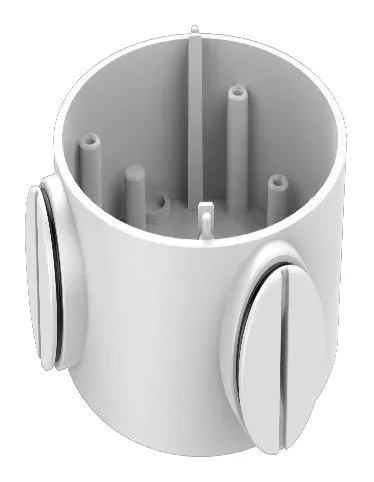
Nine times out of ten, the accessory that sends an installer back to the van is the junction box. The camera bolts up fine, and then there is nowhere to land the RJ45, or the pigtail is too short to reach the surface, or the box that shipped with the last job turns out to have the wrong base diameter. So before you order, it helps to know what a junction box actually does and why the part number matters so much.
What a junction box is really for
A junction box (sometimes called a J-box or a conduit base) sits between the camera and the wall or ceiling. It does three jobs: it hides the cable splice and any waterproofing, it gives you room to seat a bulky connector instead of fishing it through a 20 mm hole, and it lifts the camera off the surface so the cable can enter from the side or the back. On outdoor runs it is also the part that keeps water out of the connection.
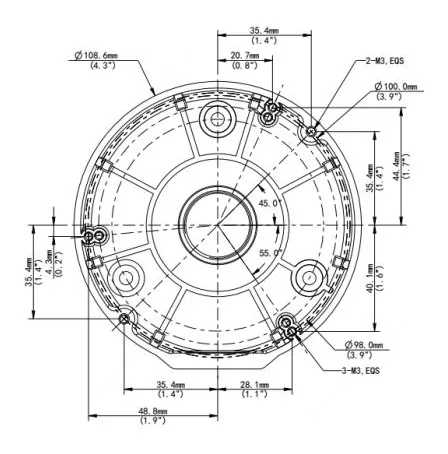
The catch is that a junction box is almost always specific to a camera family. The screw pattern on the base, the diameter of the collar, and the gasket all have to match the camera body. That is why “will this box fit my camera” is not a question you can answer from the photo. You need the manufacturer’s own compatibility list, which is exactly what we index.
Hikvision: start with the DS-1260ZJ
For most current Hikvision turret and dome cameras, the modern answer is the DS-1260ZJ. It is an anti-corrosion aluminium box, weighs about 215 g, is rated to roughly 3 kg, and shows up as compatible on more Hikvision families than any other junction box we track. If your camera lists it, order it and move on.
Two common alternatives:
- The DS-1280ZJ-S is the metal box you will see on a lot of the 2-line and 4-line bullets and turrets.
- The DS-1280ZJ-PT6 and DS-1280ZJ-XS cover specific body sizes, so read the datasheet before you assume one substitutes for the other.
Older cameras may still call for the DS-1258ZJ. It is a fine box, just make sure the camera you are installing actually lists it rather than the newer part. The full set is on the Hikvision junction boxes page, sorted by how many camera families each one fits.
Dahua: PFA130-E for domes, lighter boxes for small cameras
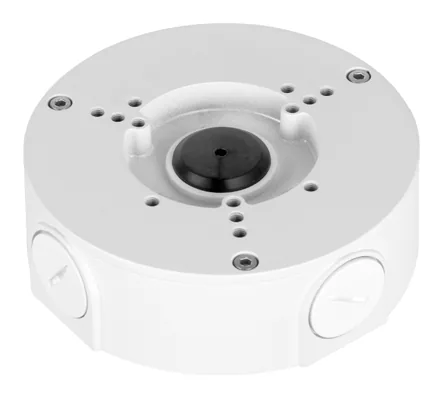
Dahua’s workhorse is the PFA130-E, an aluminium junction box rated to 3 kg that fits more Dahua families than any other. For smaller eyeball and dome cameras you will more often see the lighter PFA134 or PFA137, which are rated closer to 1 kg. That load number matters: the small boxes are not meant to carry a heavy multi-sensor head, so do not swap a PFA134 in where the datasheet asks for a PFA130-E just because it is in the van.
Browse the lot on the Dahua junction boxes page.
Uniview: the TR-JB series
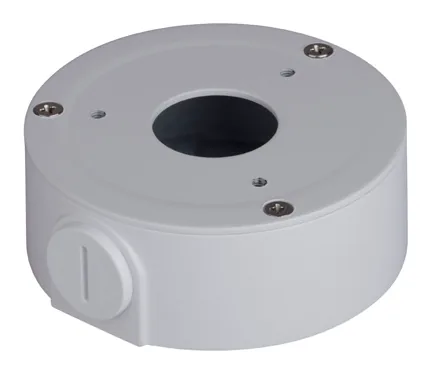
Uniview keeps its naming refreshingly literal. “JB” means junction box, and the TR-JB03-G-IN is the one you will meet most, covering a wide slice of the fixed-dome range. The rest of the family (TR-JB05, TR-JB07 and so on) map to different body styles, and they are all on the Uniview junction boxes hub.
The three checks before you order
- Does the camera’s own datasheet list this box? Not a similar one, this exact part. Cross-brand boxes never interchange, and even within a brand the base diameter changes between families.
- Is the load rating above the camera weight, with margin? A 3 kg box under a 700 g camera is comfortable. A 1 kg box under the same camera is not. We do this math for you on every accessory page, and there is a full explainer in our load-safety guide.
- Where does the cable enter? Side entry versus back entry decides whether you can run conduit or have to core the wall. The spec plate on each accessory page tells you.
If you remember nothing else: the part number is not a suggestion. Two boxes that look identical can differ by a few millimetres at the collar, and that is the difference between a clean install and a return. When in doubt, open the camera’s datasheet from its page on this site and read the accessory line yourself. That is the whole reason we put the receipt on every claim.
Parts featured in this guide
Explore the datasheet-verified data
Everything in this guide is backed by the parts we index. Jump straight in: