Mounting a dome on a high ceiling: pendant mounts explained
Warehouses, atriums and car parks put the ceiling out of reach. Pendant and drop mounts bring the camera down to a useful height. Here are the parts for Hikvision, Dahua and Uniview.
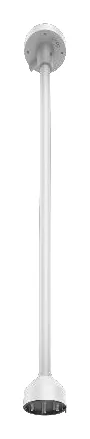
A dome flush to a 3-metre ceiling is fine. A dome flush to the roof of a warehouse is useless: too high to see faces, and a nightmare to service. When the ceiling is high, open, or made of something you cannot recess into, you drop the camera down on a pendant mount instead.
What a pendant mount is
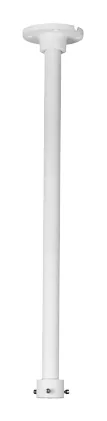
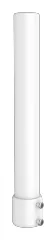
A pendant (or drop) mount is a cap that fixes to the ceiling or the end of a pole/pipe, with the dome hanging beneath it. It does two things at once: it gets the camera to a height where it can actually identify people, and it gives an enclosed path for the cable to run down from the ceiling void. On open steelwork it is often paired with a pole or drop pipe to reach the right height.
The parts to reach for
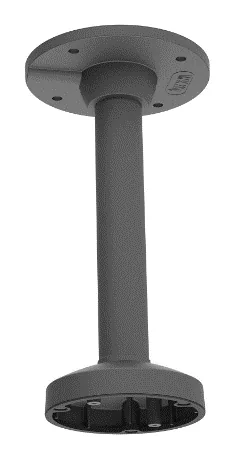
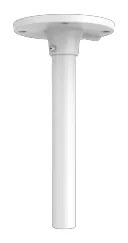
- Hikvision: the DS-1271ZJ-140 and DS-1271ZJ-120 are the pendant caps, sized by base diameter. Pendant mounts hub.
- Dahua: the PFB220C is a pendant/ceiling bracket that fits a wide range of domes (the C is Dahua’s ceiling tag). Ceiling mounts hub.
- Uniview: the TR-CM24-IN and TR-SE24-IN are the pendant drops for fixed domes. Pendant mounts hub.
Getting it right
- Height is the whole point, so measure it. Work out the mounting height you actually need for identification, then choose a pendant plus drop pipe to hit it. Too high and you have re-created the problem.
- Support the weight properly. A dome on a long drop pipe is a pendulum; fix into structure, not just a ceiling tile, and check the mount is rated for the camera. The load guide applies here too.
- Cable down the inside. The pendant should carry the cable internally so nothing dangles. Confirm the cable entry on the part’s spec plate.
- Match the cap to the dome. As always, the pendant is family-specific at the camera end - check the camera’s datasheet lists the exact part.
Open the relevant hub above and each pendant lists the cameras the manufacturer names it for, with the source. For the surface-mount and wall alternatives, see the form-factor guide and wall mounting guide.
Parts featured in this guide
Explore the datasheet-verified data
Everything in this guide is backed by the parts we index. Jump straight in: