Dahua camera mounts decoded: PFA vs PFB brackets
Dahua splits its mounting hardware into two families, PFA and PFB. Knowing which is which, and which parts are close to universal, saves you a lot of guessing at the counter.
Dahua’s accessory catalogue looks intimidating until you notice it is basically two families with a shared logic: PFA and PFB. Sort a spec sheet into those two buckets and most of the confusion drops away. Here is what each one covers, which parts do the heavy lifting, and the suffixes worth knowing.
PFA: the parts that attach to the camera
The PFA family is the small hardware that lives right at the camera: junction boxes, adapters, pole clamps and a couple of specialty brackets. In day-to-day work these are the ones you reach for most.
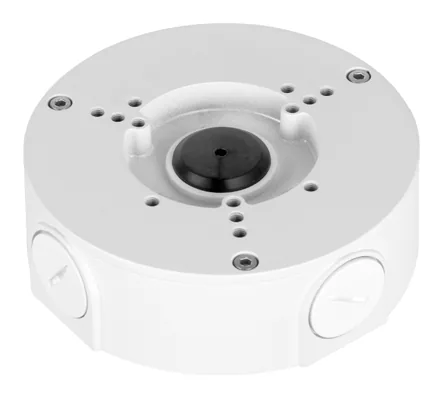
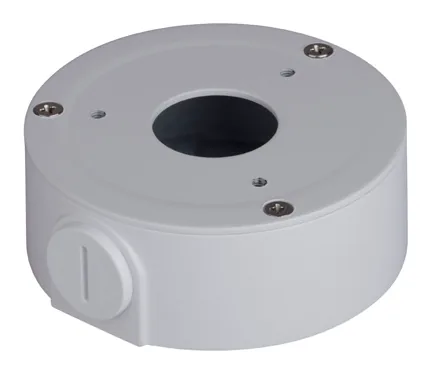
- Junction boxes. The PFA130-E is the workhorse, an aluminium box rated to 3 kg that fits more Dahua families than any other. For smaller eyeball and dome cameras you will see the lighter PFA134 and PFA137, rated closer to 1 kg. The whole set is on the Dahua junction boxes hub.
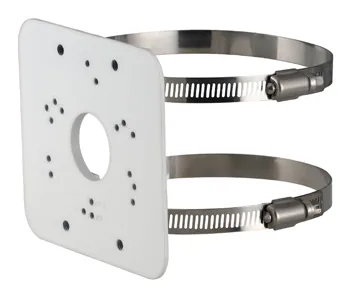
- Pole mounts. The PFA152-E is the standout: it fits more camera families than any other Dahua accessory we track, pairing a small aluminium plate with stainless hoop clamps. See the pole mounts hub.
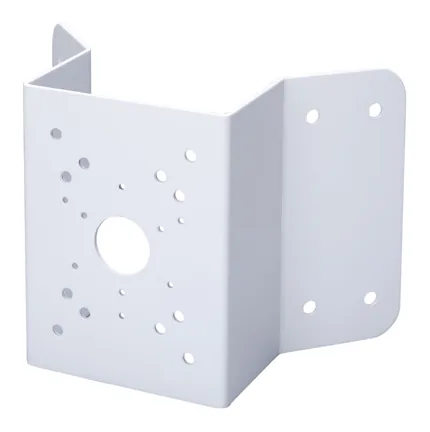
- Corner mount. The PFA151 is the odd one out in the PFA family: a heavy steel (SECC) plate rated to 10 kg, meant for larger cameras on a building corner. If you have a hefty PTZ-adjacent fixed camera, this is the one.
- Adapters and shades. The PFA106 and PFA109 are mounting adapters; the PFA200W is a rain shade.
PFB: the structural brackets
The PFB family is the bigger stuff that carries the camera away from the surface: wall arms and ceiling mounts.
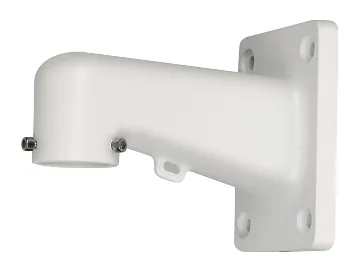
- Wall mounts. PFB203W is the common bullet/dome wall arm; the PFB205W-E and heavier-duty PFB305W (rated to 5 kg) cover larger loads. Wall mounts hub.
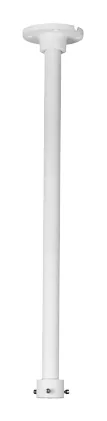
- Ceiling mount. The PFB220C is a pendant/ceiling bracket that fits a wide range of domes. The trailing C is your clue that it is a ceiling part. Ceiling mounts hub.
Reading the suffixes
- -W shows up across the outdoor brackets (PFB203W, PFA200W). Treat it as a hint that the part is built for exterior use, not a promise.
- -E (PFA130-E, PFA152-E, PFB205W-E) marks a specific revision or variant. It is not interchangeable with the plain part just because the root matches, so order the exact code on the datasheet.
- C at the end (PFB220C) points to a ceiling mount.
The rule that actually keeps you out of trouble
The PFA/PFB split tells you what a part is for. It does not tell you that a specific bracket fits your specific camera, because the mounting interface changes between families. Two junction boxes that both start PFA13 can still be built for different bodies.
So use the family logic to narrow the search, then confirm against the camera’s own datasheet. Every Dahua camera page here lists the mounts Dahua names for it, with the quote and the source link, and every accessory page runs the load-margin check so you can see whether the bracket comfortably carries the camera before you order. If you are coming from the Hikvision world, the same idea in that ecosystem is covered in our junction box guide.
Parts featured in this guide
Explore the datasheet-verified data
Everything in this guide is backed by the parts we index. Jump straight in: