PoE, PoE+ and 12V DC: how to power a security camera
Most fixed cameras sip power over standard PoE, but heaters, PTZs and high-power IR change the math. How to read a camera's wattage and pick the right power method.
Powering a camera is usually the easy part: one cable carries data and power, and you are done. It only gets interesting at the extremes, when a camera has a heater, a big IR array, or a motor. Knowing where your camera sits on the power scale tells you which switch and which method you need.
The three ways to power a camera
- PoE (802.3af). Power over the same Ethernet cable, up to about 15.4 W at the switch (roughly 12.95 W delivered at the camera). This covers the overwhelming majority of fixed cameras.
- PoE+ (802.3at). Same idea, more headroom: up to about 25.5 W at the camera. You need it for heated housings in cold climates, PTZ motors, high-power white-light or IR, and some multi-sensor units.
- 12V DC. A local power supply instead of PoE, used when there is no PoE switch or the run is powered separately. Fine, just one more thing to fuse and weatherproof.
PoE++ (802.3bt, 60-90 W) exists for big PTZs and heaters, but you will rarely need it for the fixed cameras we index.
Read the wattage, then pick the method
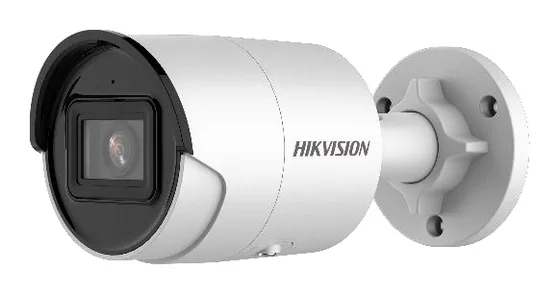
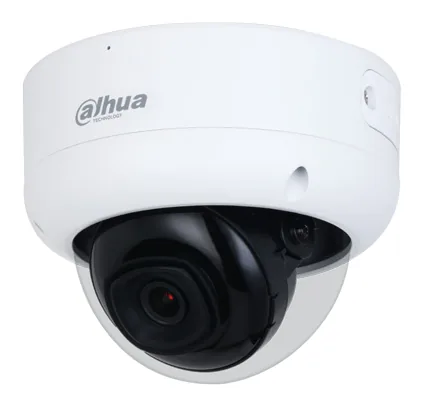
Across the cameras in our corpus, most fixed bullets, turrets and domes draw somewhere around 5 to 8 watts. That is comfortably inside plain 802.3af. For example the Hikvision DS-2CD2046G2-I(U) is about 7 W, and even a higher-spec dome like the Dahua IPC-HDBW3541E-AS-S2 sits under 10 W. The moment you add a heater or a motor, though, the figure jumps, and that is when PoE+ earns its place.
Every camera page here quotes the max power draw from the datasheet, so you can add it up before you buy the switch.
The mistake that trips people up: switch budget
A camera being “PoE” tells you the per-port method. It does not tell you whether your switch can feed a full rack of them. Every PoE switch has a total power budget, and it is usually less than (ports x max-per-port). Add up the actual wattage of every camera on the switch and keep well under that budget, or ports at the far end quietly drop off when everything is drawing at once (IR on at night is the classic trigger).
A short power checklist
- Add up real watts, not port counts. Sum each camera’s datasheet draw against the switch’s total PoE budget.
- 802.3af for fixed cameras, PoE+ for heaters/PTZ/high-power IR.
- Mind the 100 m limit. PoE over Cat5e/6 is good to about 100 m; beyond that you need an extender, fibre, or a local supply.
- Leave headroom. Night-time IR and heaters are when demand peaks. Spec for the peak, not the idle figure.
Browse cameras by type - turret, bullet, dome - and check the power line on each page. For the cabling side, see how to hide the wiring.
Parts featured in this guide
Explore the datasheet-verified data
Everything in this guide is backed by the parts we index. Jump straight in: